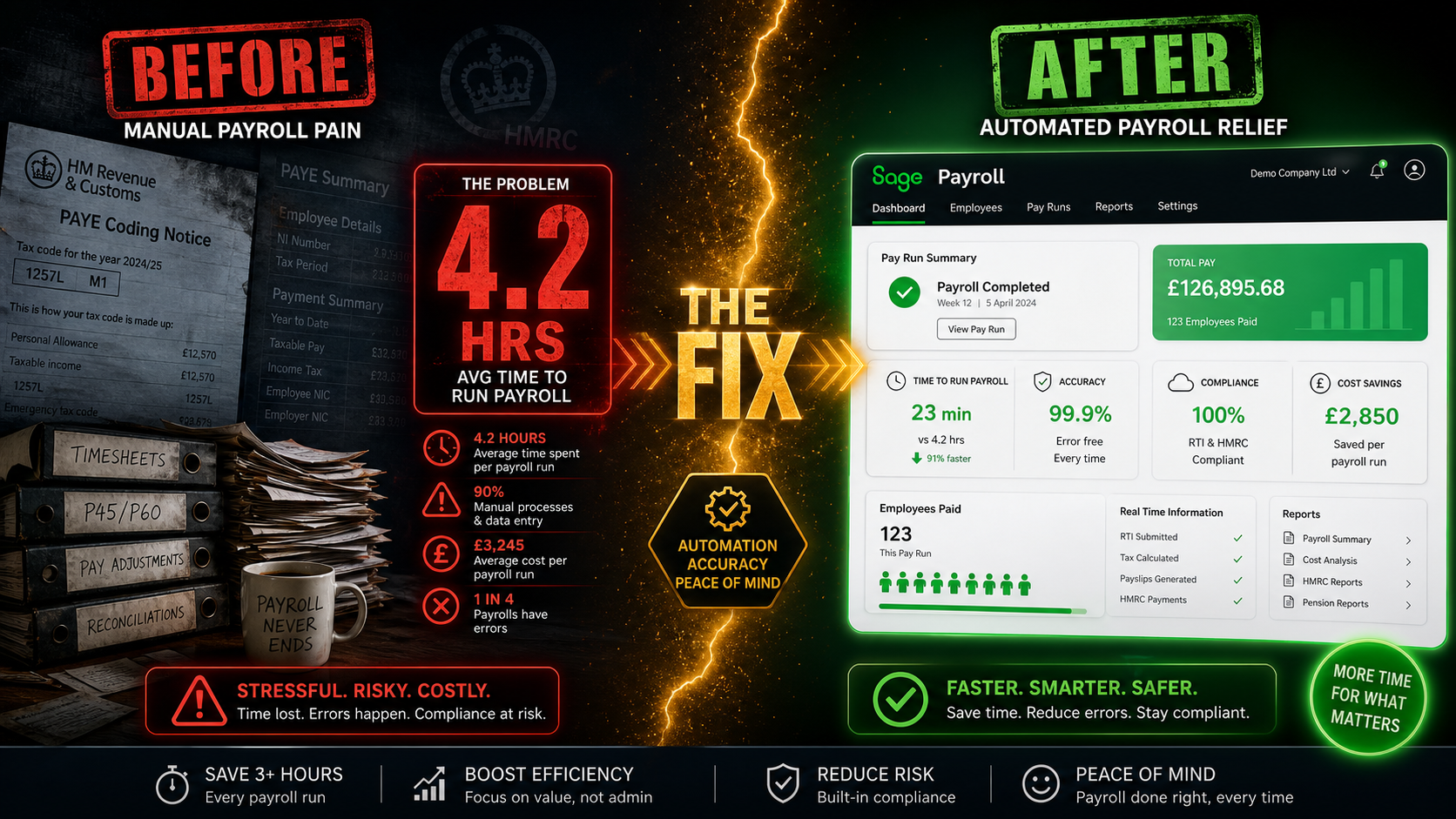
Ask any UK small business owner who runs their own payroll what they hate most about it, and the answer is rarely the concept of paying their staff. It is everything that surrounds it. The manual calculations. The cross-checking of hours. The RTI submissions that have to land on time or HMRC sends a penalty notice. The pension contributions that need to match the right period. The new rules that arrive every April and require someone to figure out what has changed and update the system accordingly.
According to PayFit’s 2025 survey of over 500 UK small businesses, 37% of UK employers report that time spent on manual payroll tasks is causing stress for them and their teams. That is not a productivity problem at the margins. It is a structural drag on every business that has not yet automated the right parts of the process. This guide explains where the hours go, what the April 2026 changes have added to that burden, and how modern payroll software — in particular, software that connects directly to your accounting platform — systematically removes most of it.
Where the Hours Actually Go
The six-hour-a-week figure is not a projection or a best-case scenario. It is what employers report saving once they move from manual payroll processes to integrated software — and it reflects a specific pattern of activities that manual payroll requires every single pay cycle, month after month.
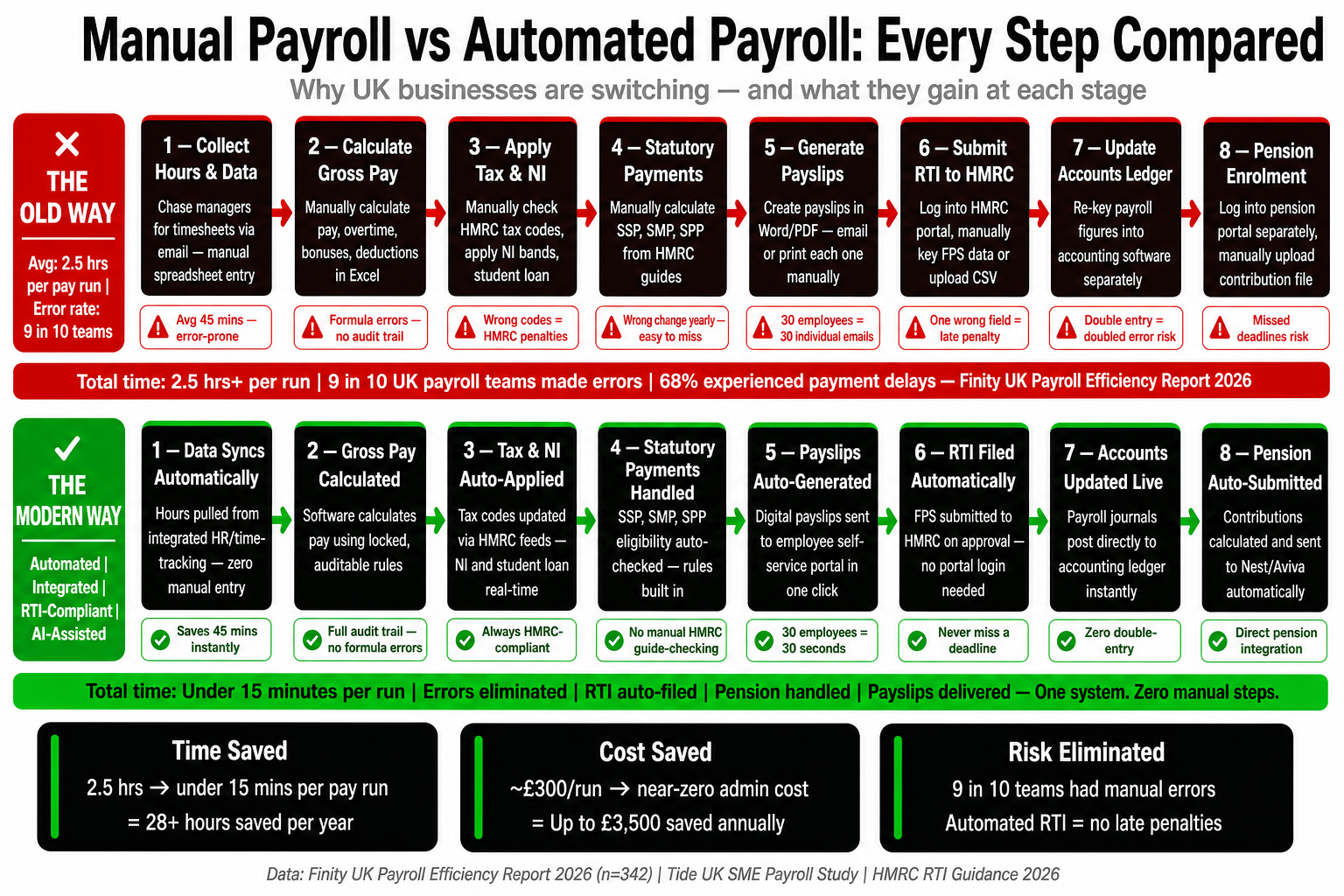
Payroll is not one task. It is ten tasks that run in sequence, most of which involve re-entering or verifying data that already exists somewhere else in the business. Hours worked need to be gathered and verified. Rates need to be checked against current NMW thresholds. Statutory payments — sick pay, maternity, paternity — need to be calculated according to rules that changed again in April 2026. Deductions need to be correct. RTI needs to be submitted to HMRC before or on payday. Pension contributions need to be calculated and sent to the provider. Payslips need to be issued. The payroll journal needs to be posted to the accounts.
Every one of those steps, done manually, is a decision point where an error can be introduced. And every error costs time to find, more time to correct, and in some cases a penalty to pay. The businesses that have reclaimed those hours are not working fewer hours in total — they are spending the time they used to spend on data entry on things that actually require human judgement.
What Changed in April 2026
April 2026 was a heavier-than-usual payroll update month. Several simultaneous changes came into effect, any one of which, handled manually, adds time and error risk to the first payroll run of the new tax year. Handled by software, they are updated automatically before the first run of April begins.
Change | What It Means for Payroll | From |
|---|---|---|
Employer NIC increase | Employer NI rises to 15% (from 13.8%); Employment Allowance increases to £10,500 with the £100,000 cap removed | 6 April 2026 |
National Living Wage increase | Aged 21+ must be paid at least £12.71/hr; aged 18–20 at £10.85/hr; under 18 and apprentices at £8.00/hr | 6 April 2026 |
SSP rate increase | Statutory Sick Pay rises from £118.75 to £123.25 per week | 6 April 2026 |
SSP day-one entitlement | SSP now payable from the first day of absence — the three unpaid waiting days are removed entirely | 6 April 2026 |
SSP lower earnings limit removed | All employees now qualify for SSP regardless of earnings level | 6 April 2026 |
Student Loan thresholds | Plan 1 rises to £26,900; Plan 2 to £29,385; Plan 4 to £33,795; new Plan 5 introduced at £25,000 | 6 April 2026 |
The SSP changes are the most operationally significant for businesses with hourly or part-time staff. Removing both the waiting days and the lower earnings limit simultaneously means a materially higher number of SSP claims, processed from day one, for a broader group of employees. A business that previously processed one or two SSP claims per month may now process five or six, each requiring a calculation based on the employee’s actual average weekly earnings. Without software that handles this automatically, the calculation burden alone is substantial.
The April trap
Every April, businesses running manual payroll spend the first week of the new tax year manually updating rates, thresholds, and rules before they can run their first payroll. Businesses using integrated payroll software open the system on the 6th and the rates are already updated. The time difference on that one task alone, across ten employees, is typically two to three hours.
The Real Cost of Payroll Errors
Payroll errors have two kinds of cost: the direct financial cost of penalties and corrections, and the indirect cost of employee relations problems that follow from being paid incorrectly. Both are underestimated by businesses that have not experienced them, and both are almost entirely preventable with automated payroll.
On the direct side, HMRC’s RTI penalty regime is straightforward. Late Full Payment Submissions carry a monthly penalty based on the number of employees: £100 per month for one to nine employees, £200 for ten to 49, £300 for 50 to 249, and £400 for 250 or more. HMRC does allow a three-day easement for late submissions — but employers who regularly use that window are explicitly flagged for review and may have the easement withdrawn. A business running monthly payroll for fifteen employees that misses the RTI deadline four times in a year pays £800 in penalties before any correction costs are factored in.
The indirect cost is harder to quantify and easier to underestimate. An employee underpaid by £150 in January does not forget about it in February. By the time it is noticed, the correct amount needs to be calculated, an additional payment processed, and a corrected payslip issued — all outside the normal payroll cycle. If this happens regularly, the employer’s credibility on pay is damaged in ways that affect retention and morale long after the individual errors are fixed.
The RTI Problem
Real Time Information is the mechanism through which UK employers report PAYE income and deductions to HMRC. A Full Payment Submission must be sent on or before every payday — not monthly, not quarterly, but every single time anyone is paid. For a business paying weekly, that is 52 RTI submissions per year. For a business with a mix of weekly and monthly paid staff, the submission schedule is even more frequent.
In a manual payroll workflow, RTI submission is a separate administrative step that requires someone to log in to the PAYE system, extract the correct data from payroll workings, and submit before payment goes out. In an integrated payroll platform, the RTI submission happens automatically as part of the payroll run. No separate step. No separate login. No risk of the submission being delayed because someone forgot. The payroll run and the HMRC notification are the same action.
The same principle applies to the Employer Payment Summary, which must be sent in any month where no employees are paid. A manual operator needs to remember to send it to avoid a specified charge from HMRC. An automated system sends it without prompting. The penalty for not sending an EPS — a specified charge based on previous PAYE payment history — can arrive months later for a period the business owner has long since forgotten.
Auto-Enrolment
Auto-enrolment compliance is one of the most consistently underestimated payroll burdens for small and growing businesses. The initial setup is demanding: assessing every worker, enrolling eligible employees, communicating in writing, setting contribution levels, and connecting with a pension provider. But the ongoing administration is what takes time month after month — and penalties for getting it wrong come from The Pensions Regulator, not HMRC, meaning a business can be hit from two directions simultaneously.
Every pay period, you need to assess each worker’s eligibility, calculate the correct employer and employee contributions, deduct the employee contribution from net pay, send the employer contribution to the scheme, and keep records proving all of it happened correctly. For variable-hours workers — retail, hospitality, trades — eligibility can change from one pay period to the next. A worker earning under the threshold in January and over it in February becomes eligible in February. Miss that transition and you are in breach of auto-enrolment duties.
Sage payroll handles auto-enrolment assessment automatically on every payroll run. It connects natively to four of the UK’s major workplace pension providers — NEST, NOW:Pensions, The People’s Pension, and Smart Pension — and submits contribution data directly without a separate upload or manual transfer. For a business whose pension provider is not NEST, that native multi-provider integration means the pension workflow runs end to end inside the same system as the payroll, rather than requiring a separate manual step between them.
The Hidden Cost of Separate Systems
The majority of small UK businesses running manual or standalone payroll face a problem that goes unnoticed until someone adds up the time: the payroll journal. Every payroll run generates a set of accounting entries — gross wages, employer NIC, employee NIC, pension contributions, PAYE liability — that need to be posted to the accounts. In a business using separate payroll and accounting software, someone has to extract those figures from payroll and enter them into the accounting platform by hand.
This takes between twenty minutes and an hour per payroll run depending on team size and pay structure complexity. Across twelve monthly payrolls, that is two to twelve hours of manual journal posting per year — a task with no value beyond data transfer, and one that introduces error every time it happens. A transposition error in a payroll journal distorts the profit and loss account, the balance sheet, and every management report built from those figures.
When payroll and accounting run in the same platform, the journal posts automatically. The payroll run produces correct accounting entries without additional input. The accounts are accurate immediately after each payroll is processed — not whenever someone has time to reconcile. For a business owner who also manages the books, the time saving on this single step is meaningful across a full year.
Manual vs. Integrated — The Real Difference
Manual payroll workflow
Collect and verify hours before every run by hand
Update NMW rates, SSP thresholds, and NIC rates manually each April
Calculate SSP individually per employee using current earnings data
Log in to HMRC separately to submit RTI after completing payroll
Assess auto-enrolment eligibility manually each pay period
Upload pension contribution data separately to provider
Post payroll journal to accounting software by hand after every run
Issue payslips manually by email or print
Integrated payroll workflow
Hours and rates pulled from connected systems; exceptions flagged automatically
April rate updates applied automatically before first run of the new tax year
SSP calculated automatically per the April 2026 day-one rules and actual earnings
RTI submitted to HMRC as part of the payroll run — no separate step
Auto-enrolment assessed on every run; eligible workers enrolled without manual review
Contributions sent directly to NEST, NOW:Pensions, People’s Pension, or Smart Pension
Payroll journal posted to accounting automatically after every run
Digital payslips issued automatically to employee self-service portal
What Sage Includes at Each Price Point
The most significant structural difference between Sage and its main competitors is how payroll is priced. Sage bundles payroll into its accounting plans at a flat monthly rate. No per-employee fee. No cost that compounds as your team grows. Sage Standard at £39 per month includes full payroll for any number of employees — the same price whether you have three staff or thirty-five.
Plan | Monthly Cost | Payroll | Key Features |
|---|---|---|---|
Sage Standard | £39/mo | Included — flat rate | RTI, SSP/SMP/SPP, auto-enrolment (NEST, NOW:Pensions, People’s Pension, Smart Pension), digital payslips, CIS |
Sage Plus | £59/mo | Included — flat rate | Everything in Standard plus multi-currency, inventory, unlimited users |
Standalone Sage Payroll | From £10/mo | Payroll only | Up to 5 employees at entry tier; RTI, auto-enrolment, syncs with Sage Accounting |
Xero Grow + Payroll | £33/mo + per-employee fee | Add-on only | Cost rises with every hire; payroll and accounting are separate connected products |
At ten employees, the combined monthly cost of Xero Grow plus Xero Payroll exceeds Sage Standard. At twenty employees, the gap is wider still — and it does not narrow as the business grows. It is a structural pricing difference, not a promotional one, and it is permanent unless Xero changes its model.
The CIS Factor
For businesses in the construction sector, payroll complexity is compounded by the Construction Industry Scheme. CIS requires contractors to deduct either 20% or 30% from subcontractor payments, submit a monthly return to HMRC, and issue deduction statements to each subcontractor. Each of those obligations runs in parallel with normal payroll — and each carries its own penalty regime if missed.
Sage handles CIS within the same payroll workflow as everything else. Subcontractor verification, deduction calculation at the correct rate, monthly CIS return submission, and subcontractor statements are all managed inside the standard interface. For a construction business currently using a standalone CIS tool alongside payroll software, consolidating those workflows into one platform typically saves two to three hours per month on CIS administration alone.
Many construction businesses using competitor platforms end up supplementing with a third-party CIS app. That means an additional monthly cost, an additional login, and an additional point at which data can be incorrectly transferred. On Sage Standard, there is no third-party CIS tool required and no additional cost. The CIS workflow runs natively — which is why Sage retains such a disproportionate share of the UK construction sector’s small business accounting market.
The Bottom Line
The six hours a week that UK employers report reclaiming through integrated payroll software reflects a specific set of tasks — rate verification, RTI submission, pension assessment, journal posting, statutory payment calculation — that manual payroll requires every pay cycle and that automated payroll eliminates. Across a year, that is over 300 hours returned to productive use.
The April 2026 changes have raised the stakes. Day-one SSP for all employees, NMW increases, higher employer NIC, and new student loan thresholds all increase the complexity of the first payroll run of every new tax year. For a business on manual payroll, April is now a multi-day administrative event. For a business on Sage, it is a Tuesday.
The question most small business owners ask when they finally make the switch is not whether the software was worth it. It is why they waited so long. If your current payroll process involves re-entering figures between systems, calculating SSP by hand, logging separately into HMRC for RTI, or manually posting journals to your accounts after every pay run, those hours are recoverable. The system that recovers them already exists — and for most UK businesses with employees, it costs less than the manual process it replaces.