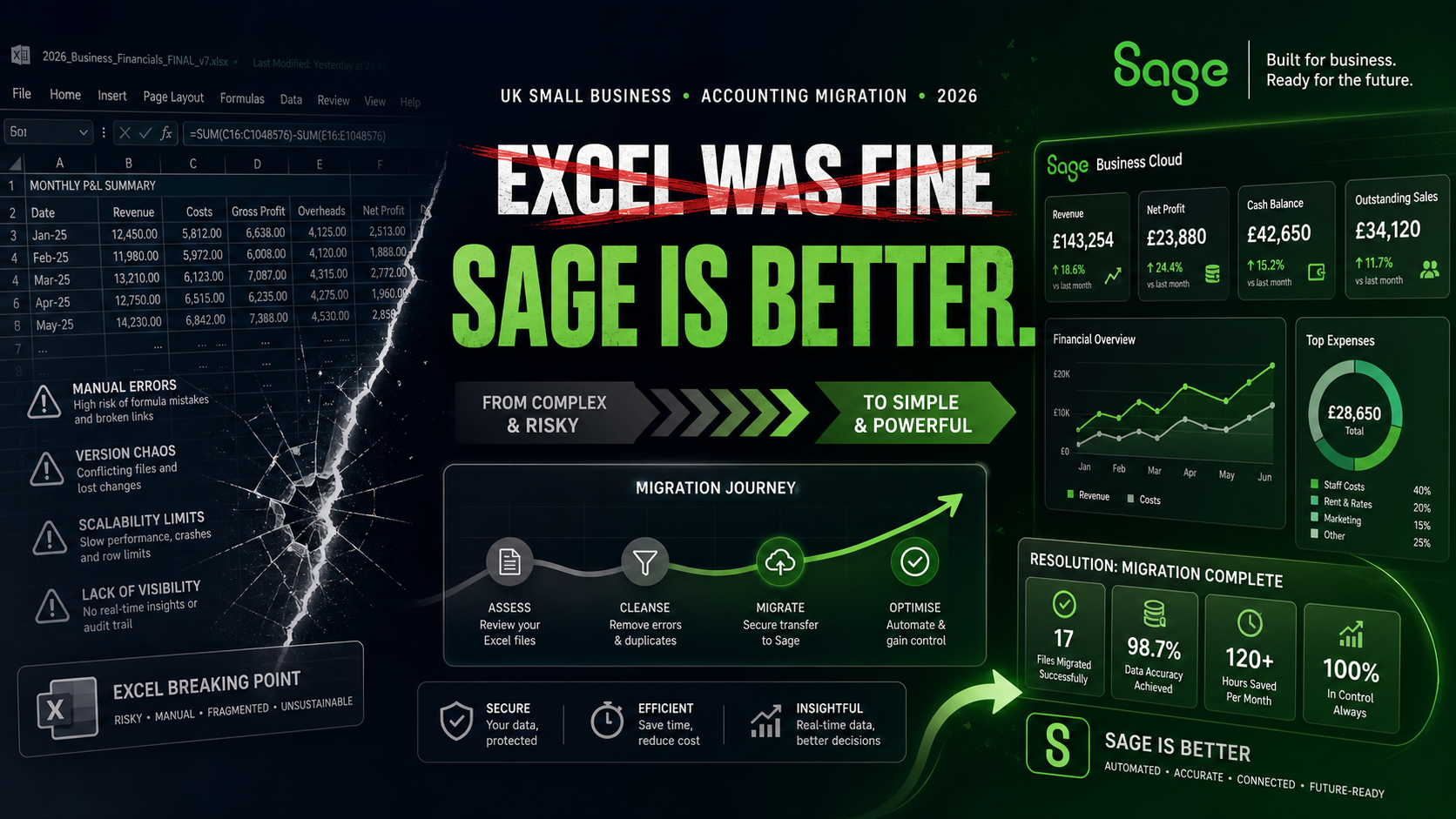
There is a version of every UK small business story that involves Excel. It starts well: a new column for income, another for expenses, a simple formula at the bottom, and a feeling of control that costs nothing and requires no learning curve. For the first few months of trading, sometimes the first couple of years, it works. The spreadsheet grows alongside the business. New tabs appear. Formulas get more complex. Someone adds a macro. A second person starts editing the file. And then, at some point — usually quietly, often invisibly — Excel stops being fine.
The switch from spreadsheet to dedicated accounting software is one of the most consistently reported improvements in financial wellbeing among UK small business owners. It is also one of the most consistently delayed. Businesses stay on Excel longer than is sensible because the spreadsheet feels familiar, the cost of switching feels uncertain, and the specific moment at which the spreadsheet stops working is not always a dramatic failure — it is usually a slow accumulation of small problems that only become visible when something goes badly wrong. This article explains what those problems are, what the data says about spreadsheet risk, and why Sage — starting at £18 per month after a two-month free trial — is where the majority of UK small businesses eventually land when they decide Excel has run its course.
The Excel Problem Is Not About Excel
Microsoft Excel is excellent software. It is genuinely powerful, deeply flexible, and appropriate for a wide range of analytical and planning tasks. The problem is not Excel itself. It is the specific gap between what Excel does and what running a compliant, financially visible UK small business in 2026 requires. Excel is a calculation and visualisation tool. It does not connect to HMRC. It does not have a bank feed. It does not calculate VAT by transaction. It does not produce MTD-compliant returns. It does not send invoices, chase payments, run payroll, or generate a real-time estimate of your tax liability. It does what you build it to do, with formulas you write, applied to data you enter manually, producing results that are entirely dependent on both the formulas and the data being correct.
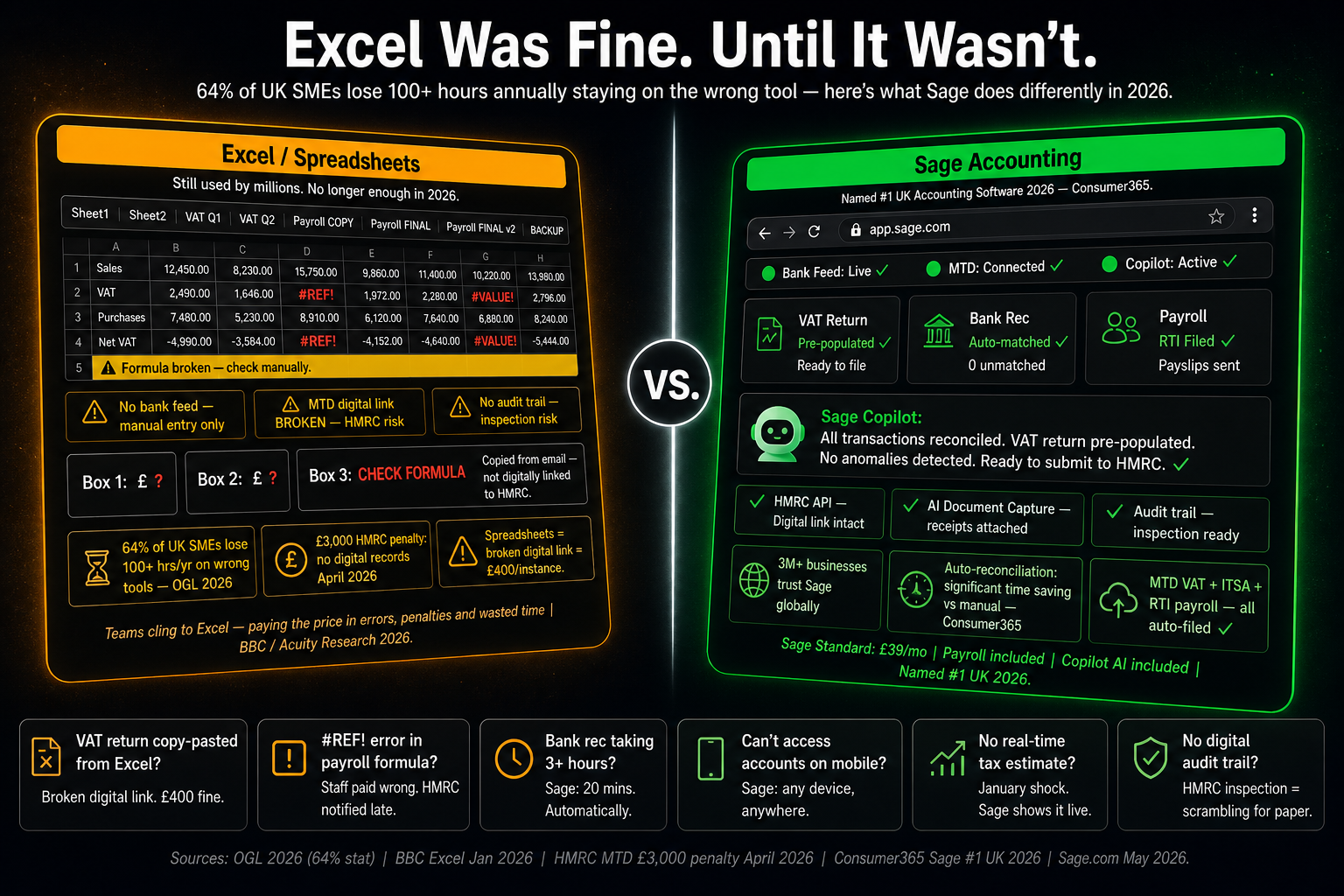
For a business with five transactions a month and no employees, that dependency is manageable. For a business with 200 transactions a month, two employees, quarterly VAT returns, a Self Assessment obligation, and an MTD for Income Tax requirement from April 2026, it is a structural mismatch between the tool and the task. The switch to Sage is not the abandonment of something that worked. It is the recognition that the task has grown beyond what the tool was designed for — and that continuing to force the fit is costing more, in time, errors, and compliance exposure, than the software subscription ever would.
The Error Statistics That Excel Users Should Know
Spreadsheet errors are not the exception. They are the norm. A 2024 study led by Professor Pak-Lok Poon found that 94% of business spreadsheets used in decision-making contain errors — not trivial formatting inconsistencies, but errors in formulas, data, or logic that affect the numbers the spreadsheet produces. Industry research consistently finds that 90% of spreadsheets containing more than 150 rows have at least one major mistake. These are not findings from poorly managed businesses. They are findings from organisations that believe their spreadsheets are correct and are making financial decisions based on them.
The consequences of those errors in an accounting context are specific and serious. A transposed figure in a VAT calculation produces an incorrect return. An incorrect formula in an expense summary means the wrong amount of tax is calculated. A broken cell reference in a payroll sheet means wages are calculated on the wrong base. Each of these errors is possible, common, and in a spreadsheet-based system, invisible until something downstream forces its discovery. In a Sage-based system, the equivalent calculation is done by the software from the transaction data. The formula cannot be accidentally overwritten. The cell reference cannot break. The VAT rate is applied from the built-in tax code, not from a formula that someone wrote and may have changed.
The JP Morgan number
A spreadsheet copy-and-paste error at JP Morgan contributed to the “London Whale” trading loss of £4.7 billion. That is an extreme example from a large institution, but the mechanism is identical to the one operating in every small business spreadsheet: a human made a data transfer step between two parts of a system, the step introduced an error, and the error propagated through every calculation downstream before it was found. The difference is scale, not process.
The MTD Legal Reality That Ends the Excel Discussion
For many UK small businesses, the question of whether to stay on Excel has been answered for them by HMRC, whether they know it or not. Excel on its own is not compliant with Making Tax Digital. That is not a qualification or a nuance. It is the confirmed position of HMRC, the Association of Taxation Technicians, and every major accounting body in the UK. MTD for VAT has required digital record-keeping and a compliant digital link from source transactions to submission since April 2022. MTD for Income Tax extended that requirement to sole traders and landlords with qualifying income over £50,000 from April 2026.
The specific failure point for Excel users is the digital link requirement. HMRC defines a valid digital link as a transfer of data between software programs that involves no human intervention. Copying a total from an Excel cell and pasting it into an online submission portal, or typing a figure from a spreadsheet into accounting software, is a broken digital link. It does not matter that the number is correct. The process by which it was transferred is non-compliant. Businesses that have been filing VAT returns by extracting figures from Excel and keying them into HMRC’s portal have been non-compliant with MTD since April 2022 — for four years — without necessarily knowing it. The daily penalty for maintaining a broken digital link is £5 to £15 per day per obligation. The penalty for filing without functional compatible software is £400 per return.
Obligation | Excel Alone | Excel + Bridging Software | Sage Accounting |
|---|---|---|---|
MTD for VAT — digital records | ❌ Not compliant if records are summaries, not individual transactions | ⚠️ Compliant only if transaction-level records maintained | ✅ Every transaction recorded digitally at point of entry |
MTD for VAT — digital link to submission | ❌ Copy-paste = broken digital link | ✅ Bridging software provides the link if set up correctly | ✅ End-to-end digital link from transaction to HMRC submission |
MTD for VAT — functional compatible software | ❌ Excel is not HMRC-recognised compatible software | ✅ If bridging software is HMRC-recognised | ✅ Sage is HMRC-recognised for VAT and Income Tax |
MTD for Income Tax (£50k+ qualifying income) | ❌ Not compliant; quarterly updates cannot be submitted from Excel | ❌ No bridging software currently approved for MTD ITSA quarterly updates | ✅ Quarterly updates and year-end declaration submitted directly from Sage |
Six-year digital record retention | ⚠️ Possible but relies on manual file management and no data corruption | ⚠️ Same as Excel alone; retention is the user’s responsibility | ✅ Automatic cloud retention; accessible and auditable at any time |
The Payroll Reality: 31% of Small Businesses Still Using Spreadsheets
Research from Employment Hero published in August 2025 surveyed 1,000 UK small business owners and found that 31% still rely on spreadsheets to calculate wages — rising to 44% among businesses with fewer than 20 employees. The same survey found that 84% of small business owners have made errors on payroll, and that 40% have received HMRC penalties as a result. The connection between these statistics is direct: spreadsheet-based payroll creates the conditions for the errors that produce the penalties.
The 2025/26 tax year introduced several payroll changes that make manual spreadsheet payroll significantly more error-prone than it was previously. The National Minimum Wage increased to £12.21 per hour for workers aged 21 and over from April 2025. Employer National Insurance contributions rose from 13.8% to 15% from April 2025, with the secondary threshold reduced from £9,100 to £5,000 — meaning employer NIC is now payable on a larger portion of every employee’s earnings. Auto-enrolment pension minimum contributions remain 3% employer and 5% employee on qualifying earnings. Each of these changes requires a manual update to every spreadsheet formula that touches the affected calculation. Miss one, and every payroll run from that point forward produces incorrect figures.
Sage Payroll handles every rate change automatically. HMRC rates, NIC thresholds, National Minimum Wage bands, and pension minimum contributions are updated within Sage before the effective date. The business owner does not need to know that the rate changed or find and update the formula in their spreadsheet. The correct figure is calculated from the correct rate in the current version of the software, every time, without any manual intervention required.
Seven Moments When Excel Stops Being Fine
The transition from “Excel is working” to “Excel is costing us” rarely happens in a single dramatic event. It happens through a series of friction points that accumulate until the cumulative cost exceeds the perceived cost of switching. These are the seven moments that appear most consistently in the accounts of UK business owners who have made the switch.
You hire your first employee. Payroll in Excel is manual, rate-dependent, and entirely reliant on your formulas being correct. HMRC’s Real Time Information requirement means every payroll run must be submitted digitally before or on the date of payment. Excel has no RTI submission capability. You are immediately dependent on a workaround.
You become VAT-registered. MTD for VAT requires digital records and a compliant digital link from the first VAT return. Excel alone provides neither. You need either bridging software (an additional cost and an additional process) or accounting software that handles it natively from day one.
You take on a second person to help with the accounts. Two people editing the same Excel file simultaneously is a version control problem. Who has the latest file? What did the other person change? Why does the total look different this week? These questions have no reliable answer in a shared spreadsheet system without active file management that most small businesses do not maintain.
You receive an HMRC compliance check. HMRC asks for your transaction-level records for the VAT period. Your Excel file has monthly totals, not individual transactions. You cannot produce what is required without reconstructing records that may no longer be fully recoverable. This is the moment that demonstrates the compliance gap most clearly.
You miss a tax deadline because nobody was tracking it. Excel does not have alerts. It does not know when the VAT return is due, when the payroll needs to run, or when the Self Assessment deadline is approaching. It does what you ask it to do and nothing more. The deadline was in nobody’s diary. The penalty is automatic and immediate.
You try to get a bank loan or bring in an investor. The bank or investor asks for management accounts, a cash flow forecast, and a balance sheet. Your Excel file has income and expenses. Producing investor-ready financials from a spreadsheet takes days and requires expertise most small business owners do not have. In Sage, the same information is available in real time from the data already in the system.
Your qualifying income crosses £50,000. From April 2026, MTD for Income Tax requires quarterly digital updates to HMRC. There is no bridging software approved for MTD for Income Tax quarterly updates. Excel cannot submit them. The obligation requires compatible software, and compatible software means moving off Excel entirely.
What Sage Costs — The Real 2026 Pricing
The most common reason UK business owners give for staying on Excel is cost. The assumption is that accounting software represents a significant ongoing expense that is difficult to justify when the spreadsheet is working adequately. The actual 2026 pricing for Sage Accounting makes that assumption harder to sustain than it has ever been.
Plan | Monthly Price (excl. VAT) | Annual Cost (excl. VAT) | Best For | Key Features Included |
|---|---|---|---|---|
Accounting Start | £18/mo | £216/yr | Sole traders, freelancers, very small businesses | Invoicing, bank feeds, MTD VAT submission, basic reporting, Sage Copilot (1 user) |
Accounting Standard | £39/mo | £468/yr | Growing small businesses with employees or VAT complexity | Everything in Start plus receipt capture (30 included), cash flow forecasting, AutoEntry integration, additional Copilot users |
Accounting Plus | £59/mo | £708/yr | Businesses with inventory, multi-currency, or advanced reporting needs | Everything in Standard plus inventory management, multi-currency, unlimited receipt capture (100 included), advanced features |
Payroll Essentials | From £8/mo | From £96/yr | Businesses with 1–5 employees needing PAYE and RTI | PAYE, NIC, pension, RTI submissions to HMRC, payslips, auto-enrolment |
Payroll Standard | From £13/mo | From £156/yr | Businesses needing HR features alongside payroll | Essentials plus employee self-service, HR document storage, absence management |
Payroll Premium | From £20/mo | From £240/yr | Businesses needing timesheet and advanced HR integration | Standard plus timesheets, overtime management, advanced HR workflows |
New customers currently benefit from two months free before standard pricing applies, with no long-term contract, no setup fee, and the ability to upgrade, downgrade, or cancel at any time. The Accounting Start plan at £18 per month — the entry point — provides MTD-compliant VAT submission, automated bank feeds, professional invoicing, and Sage Copilot AI for less than 60 pence per day. Against the cost of a single HMRC late filing penalty (£100 for a missed VAT deadline), the Accounting Start plan pays for its first five months in the penalty it prevents from the first quarter alone.
Excel vs Sage: The Real Comparison
Excel in 2026
Free or included in Microsoft 365 (~£7.99/mo for Personal)
94% of business decision-making spreadsheets contain errors
Not MTD-compliant on its own; requires bridging software for VAT (extra cost)
No bridging solution for MTD Income Tax quarterly updates
No bank feed; all transactions entered manually
No payroll RTI submission capability
No real-time tax liability estimate
Rate changes (NIC, NMW, pension) require manual formula updates
Version control problems with multiple users
No audit trail for HMRC inspection
No automated invoice chasing or payment tracking
66% of businesses report manual data entry as primary cause of errors
Sage Accounting from £18/mo
2 months free; then £18/mo (Start), £39/mo (Standard), £59/mo (Plus) — no contract
Calculations performed by software from transaction data; formula errors eliminated
Full MTD compliance built in for VAT and Income Tax; direct HMRC API connection
Quarterly MTD Income Tax updates submitted directly from Sage
Open banking bank feed; transactions imported automatically, matched by Copilot
RTI payroll submissions to HMRC built into Sage Payroll from £8/mo
Real-time tax liability estimate updated continuously from live transaction data
HMRC rate changes applied automatically within Sage before effective date
Multi-user access with role-based permissions; full change log maintained
Complete transaction-level audit trail; accessible and exportable for HMRC
Sage Copilot chases overdue invoices automatically; payments received 7 days faster
Anomaly detection flags potential errors before they affect returns or reports
The Cost of Waiting
The businesses that delay switching from Excel to Sage are typically not making an active decision to stay on Excel. They are making a passive decision to defer the switch until the pain of staying is greater than the perceived effort of moving. The problem with that logic is that the pain of staying accumulates silently — in errors that are not yet discovered, in compliance failures that have not yet been enforced, in time spent on manual processes that has not yet been quantified — while the cost of moving is immediate and visible. That asymmetry systematically biases businesses toward staying too long.
The real cost of staying on Excel in 2026 is a combination of four things: the time cost of manual data entry and reconciliation (averaging 120 hours per year in bank reconciliation alone); the error cost of spreadsheet mistakes that affect tax calculations, payroll, or VAT returns; the compliance cost of MTD non-compliance, which for a VAT-registered business is already active and penalty-bearing; and the opportunity cost of not having the real-time financial visibility that Sage provides and Excel cannot. Against a Sage Accounting Start subscription of £18 per month, those costs are not close to balanced — and they tip further toward action with every month that passes under the April 2026 MTD Income Tax expansion.
The Bottom Line
Excel was fine when the business was small, the transactions were few, the tax obligations were simple, and the compliance environment was forgiving. None of those conditions apply to the same degree in 2026. The research is unambiguous: 94% of business spreadsheets contain errors, 84% of small business owners using manual payroll have made payroll errors, 40% have received penalties as a result, and Excel on its own has been non-compliant with MTD for VAT since 2022. The switch to Sage is not an upgrade to something exotic or unnecessarily complex. It is a move to the minimum viable system for a compliant, financially visible UK small business in the current environment.
Sage Accounting starts at £18 per month with two months free for new customers. For that price, a sole trader or small business owner gets MTD-compliant VAT filing, automated bank feeds, professional invoicing, Sage Copilot AI, and real-time reporting — all in a platform that has been built specifically for UK businesses for 45 years. There is no long-term contract. The switch can be made in an afternoon. The records from Excel can be brought across as opening balances. And from the first bank feed connection, the manual data entry that produced 94% of the errors in the spreadsheet-based system simply stops.
Excel was fine. For many businesses, it was more than fine for a long time. But the compliance environment that UK small businesses operate in today — MTD, HMRC enforcement, mandatory RTI payroll, quarterly digital updates — was not designed around what Excel can do. It was designed around what dedicated accounting software does. The businesses that make the switch earliest are the ones that stop absorbing the cost of the gap soonest. At £18 a month, there is very little financial reason to wait.