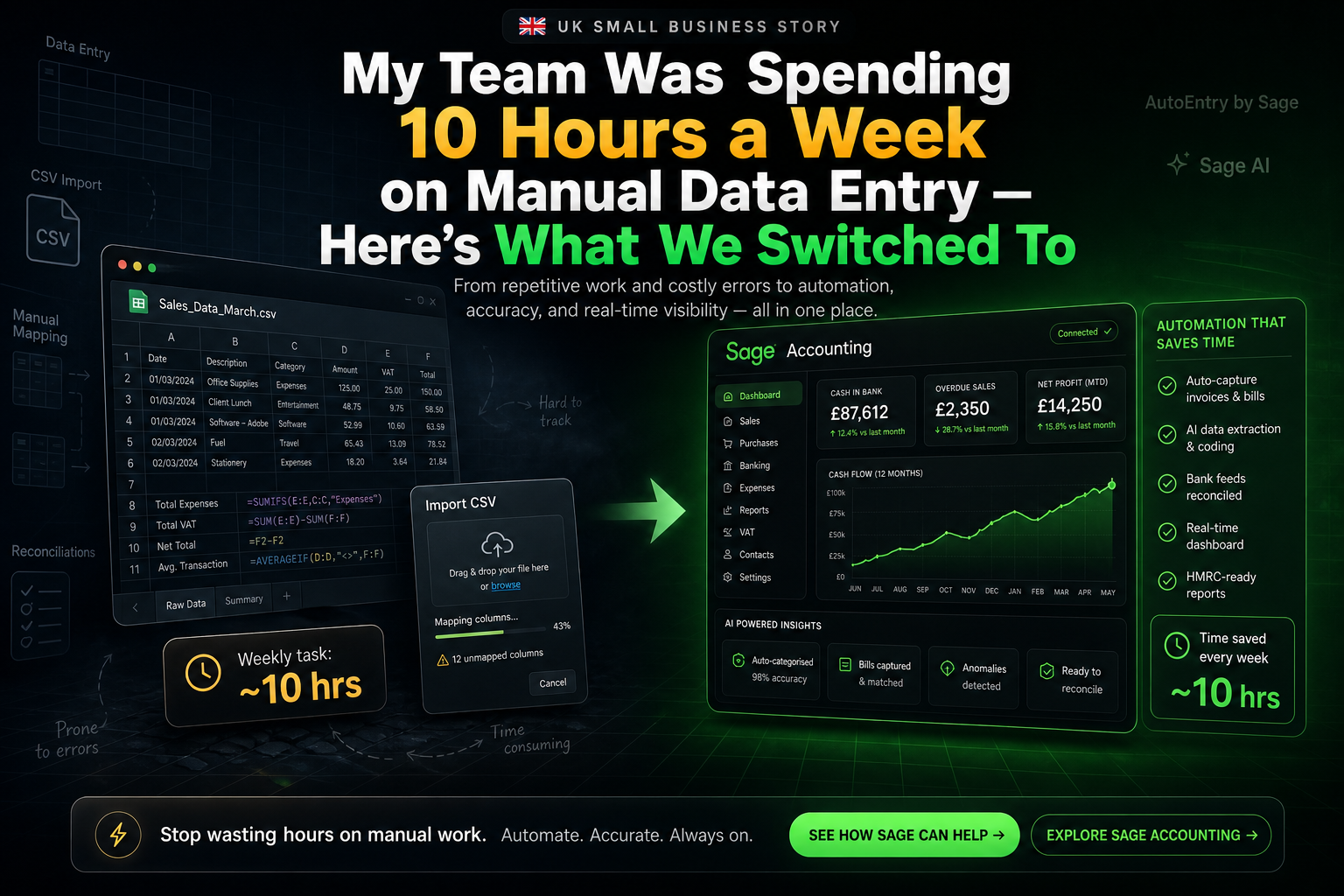
Every team has a version of the same story. Someone opens the bank feed and starts manually ticking off transactions. Someone else sits with a pile of supplier invoices and types supplier name, date, amount, and VAT rate into the system line by line. Another person copies time sheet totals into a payroll spreadsheet every month. None of it feels dramatic in the moment. It is “just admin.” Until one day you realise your team is losing an entire working day every week to the same repetitive actions — and that none of them are the reason you started the business in the first place.
Industry research backs up what most business owners already sense. The average employee loses around 4.5 hours a week to manual data entry alone, which works out to roughly **23 working days per year** that could be spent on higher-value work instead. [web:461] Finance teams are hit even harder. Sage’s own analysis of accounts payable processes shows that traditional manual AP workflows routinely consume days per month of data entry time — and that AI-powered AP Automation in Sage Intacct can cut that processing time in half, in some cases saving **up to 100 hours of AP time per month** in growing finance teams. [web:462] We were not an exception. We were the rule. And we only realised how bad it was when we calculated how much time we were losing.
Where the 10 Hours a Week Were Actually Going
When we first sat down to quantify our manual data entry problem, the headline number — roughly 10 hours per week across the team — came from a simple exercise: write down every task where someone was copying numbers from one place to another by hand, for more than 5 minutes at a time. Then add up the minutes. The result was not just “data entry” in the traditional sense. It was a series of small, invisible tasks that had accumulated around the edges of our finance and operations processes.
Task | What We Were Doing Manually | Weekly Time Lost | Why It Existed |
|---|---|---|---|
Supplier invoices (AP) | Typing every supplier bill into the accounts system line by line, including date, supplier, net, VAT, and description | 4 hours/week | Invoices arrived by email as PDFs; no automatic data extraction in our previous system |
Bank reconciliation | Manually matching bank statement lines to invoices and bills; typing bank transactions directly if the feed broke | 2 hours/week | Bank feed was unreliable; no auto-matching; no AI-assisted reconciliation |
Expenses and receipts | Staff took photos of receipts; admin team later typed each one into an expense spreadsheet and then into the accounts | 1.5 hours/week | No integrated receipt capture; separate tool that did not sync cleanly with accounts |
Payroll journals | After every pay run, someone keyed the payroll summary into the accounts system as a manual journal | 1 hour/week (averaged) | Payroll system did not integrate with the accounts; journals were exported as PDFs only |
Spreadsheet exports | Exporting data from the accounts into Excel to do simple analysis or reporting that the software could have done itself | 1.5 hours/week | We did not know how to use the built-in reporting properly; spreadsheets felt “easier” |
None of these tasks felt like a crisis on their own. Each one was “just half an hour” or “just an hour” a week. Put together, they added up to the equivalent of more than a day of someone’s time every seven days. Over a year, at 48 working weeks, that was 480 hours — nearly three full-time months of a person’s working year. At a realistic loaded cost of £25 per hour, that was £12,000 a year in salary effectively dedicated to copy‑and‑paste work.
Why We Were Stuck There for So Long
Looking back, there were three reasons we tolerated that level of manual data entry for as long as we did. None of them were technical. All of them were psychological and structural. And all of them are very common in UK SMEs according to recent research on digital adoption and software waste.
We underestimated the cost of “just admin.” When the average employee loses 4.5 hours a week to manual data entry, it does not show up as a specific line item anywhere. [web:461] It shows up as “busy days” and “we’re behind on the accounts again.” Because no single task felt “big enough” to fix, the compound cost remained invisible.
We had built a stack instead of a system. Our accounts, receipts, payroll, and reporting all lived in different tools. None of them shared data. Research into UK software spend shows that SMEs regularly waste thousands of pounds a year on overlapping SaaS tools and manual processes between them. [web:447][web:456] We were not just losing time to data entry. We were losing time to moving data between systems that did not need to be separate.
We assumed automation meant a big, scary ERP project. We pictured “AP automation” and “AI data capture” as something for mid-market finance teams running multi-entity groups on expensive systems. In reality, Sage has now put those same AI extraction and automation capabilities into its cloud accounting products and Sage Intacct, specifically to solve the small and mid-sized business data entry problem. [web:459][web:462]
The mental trap
We kept telling ourselves “this takes time, but at least it’s free.” It was not free. Ten hours a week at £25 per hour is £250 per week. Over a year, that is £13,000. The subscription for the automation we ultimately switched to costs a tiny fraction of that.
What We Switched To: Sage + AI-Powered Automation
We did not go shopping for “automation tools.” We went shopping for a way to stop typing the same information twice. That search ended up in a very specific place: Sage Accounting plus Sage Ai‑powered automation (Sage Copilot in Sage Accounting, and AP Automation in Sage Intacct for more advanced AP teams). The combination replaced manual entry in three critical areas: accounts payable, bank reconciliation, and expenses.
Area | What We Used Before | What We Switched To | What Changed |
|---|---|---|---|
Supplier invoices (AP) | Email inbox + manual keying into accounts | Sage AP Automation with Sage Ai (Intacct) / Sage Accounting + Copilot suggestions | Upload or email in the invoice; Sage Ai auto-extracts supplier, dates, amounts, VAT, and line items; creates a draft bill for approval instead of manual entry. AP processing time cut by up to 50%, with some teams saving as much as 100 hours per month. [web:462][web:463] |
Bank reconciliation | CSV downloads from bank, typed or copy‑pasted into accounts; manual matching | Sage bank feeds + auto‑matching + Copilot anomaly detection | Bank transactions flow in automatically; Sage auto‑matches to invoices and bills; anomalies flagged by Copilot instead of being hunted for manually. Reconciliation in minutes instead of hours. [web:462][web:466] |
Expenses and receipts | Photos saved to a folder, typed into spreadsheet and then into accounts | Sage Accounting receipt capture (Standard/Plus) with AI data extraction | Staff snap a receipt in the app; Sage extracts supplier, amount, VAT, and date; expense is ready to post. No spreadsheet, no re‑typing. [web:211] |
Reporting and exports | Manual exports to Excel for basic P&L, cash flow, and aged receivables | Built‑in Sage dashboards + Copilot reporting prompts | Reports scheduled or generated directly in Sage; Copilot drafts narrative commentary and surfaces anomalies; almost no raw data exports needed. [web:465][web:466] |
Sage’s own documentation for AP Automation in Sage Intacct describes exactly what we saw in practice: AI‑powered data capture that “eliminates manual processes like entering data, tracking down lost invoices, and getting approvals” and can save “days of AP time each month.” [web:462] The system learns from how you code invoices, improving over time. In our case, that meant that invoices from the same supplier were correctly coded to the right nominal code and department after only a few cycles of manual review. We went from typing everything to approving drafts that were 95% correct on first pass.
What the Before/After Looked Like in Hours
10 hrs per week spent on manual entry before automation — across invoices, bank recs, receipts, and journals
2.5 hrs per week after switching to Sage automation — 75% of the manual work removed
£11,250 approximate annual time cost saved at £25/hr for the 7.5 hours/week freed up
£588 annual subscription for Sage Accounting Standard (£39/mo) — the tool that replaced most of the manual work [web:211]
Those numbers are conservative. They assume only 75% of manual entry went away, not 100%. They also assume a modest £25/hr equivalent cost of time. For finance teams inside larger organisations, Sage Intacct’s AP Automation literature talks about saving “upwards of 100 hours per month” and cutting AP processing time in half. [web:462] Our team was smaller, so the absolute hours saved were lower, but the percentage reduction was similar. The return on the software subscription was not subtle. We were paying hundreds of pounds per year to save tens of hours per month.
One LinkedIn example, same pattern
A separate analysis shared on LinkedIn by a data‑automation consultant showed a “before” state of 10 hours per week spent on manual data entry with a 5% error rate, vs an “after” state of 1 hour per week with under 1% errors after switching to automated data extraction. [web:458] Different business, same numbers: 80–90% of the manual work disappears when extraction and matching is handled by AI.
Which Sage Products Make Sense for Different Teams
One thing we learned quickly is that “Sage” is not one product. It is a family of products that target different company sizes and levels of complexity. For small UK businesses, Sage Accounting (with Copilot built in) covers most of what you need. For finance teams with higher transaction volumes, more entities, or more complex AP workflows, Sage Intacct is where the deepest AP Automation lives.
Team Type | Sage Product | Key Automation Features | Typical Manual Hours Saved |
|---|---|---|---|
Owner‑managed UK business, 0–10 staff | Sage Accounting Standard + Copilot | Bank feeds, AI‑assisted bank rec, receipt capture, automated invoice chasing, MTD VAT, basic AP automation, cash flow alerts | 5–10 hours/month on bank rec, expenses, simple AP and chasing |
Growing SME, 10–50 staff, higher invoice volume | Sage Accounting Plus + Copilot | All of the above plus inventory, more receipt capture capacity, more complex reporting, multi‑user Copilot | 10–20 hours/month as invoice volume grows and multi‑user automation kicks in |
Finance team with heavy AP workload | Sage Intacct with AP Automation + Sage Ai | AI invoice data capture, auto‑matching to POs, centralised AP workflow, multi‑entity support, intelligent GL outlier detection, deep Copilot integration | Days per month: Intacct customers report up to 100 hours/month saved in AP, and 5 days per period‑end saved overall. [web:460][web:462][web:466] |
Sage’s own product pages for Intacct’s AP Automation are explicit: upload or email a supplier bill and Sage Ai will automatically extract the details, create a pre‑populated draft, flag duplicates, and match to purchase orders — saving “hours spent on manual data entry” and “days of AP time each month.” [web:462] For a team already buried under invoices, that description is not theoretical. It is a one‑line summary of what the workflow feels like after the switch.
What Changed Beyond the Hours
The most obvious impact of cutting manual data entry from 10 hours a week to 2.5 was time saved. But two other changes matter just as much: error rate and morale. Both show up in the research on automation, and both matched what we saw internally.
Error rates dropped sharply. The LinkedIn before/after analysis of a 10‑hours‑per‑week data entry process saw error rates fall from 5% to under 1% after automation. [web:458] Sage Intacct’s AP Automation material references the same pattern: AI data capture plus automatic matching reduces human error and flags duplicates before they are paid. [web:462] In our case, things stopped “falling between the cracks” simply because there were fewer manual keystrokes where things could go wrong.
People stopped dreading “doing the invoices.” RSM’s analysis of Sage Copilot notes that teams using it “save hours — sometimes days — every closing period” and maintain momentum more easily. [web:466] The human translation of that sentence is simple: month‑end no longer required a weekend. Bank recs no longer required a long, frustrating evening. The jobs that used to feel like punishment became quick checks of what the system had already done for us.
The Bottom Line: What We Switched To, in One Sentence
We did not eliminate manual data entry by hiring more people or working longer hours. We eliminated it by moving the work to a system that was designed to do it better: Sage Accounting with Copilot for day‑to‑day automation, and Sage Intacct with AP Automation and Sage Ai where the transaction volume justified it. We went from typing every invoice to approving drafts. From manually matching every bank line to glancing at matches and reviewing anomalies. From dreading month‑end to closing faster, with fewer errors.
If your team is still losing a working day every week to manual data entry, the question is not whether you can afford the software that would fix it. The numbers say you are already paying for that day, every week, in wages and lost time. The real question is whether you want to keep paying for the same 10 hours of work forever — or pay a fraction of that to let Sage’s automation do the keystrokes while your team does the work you actually hired them for.