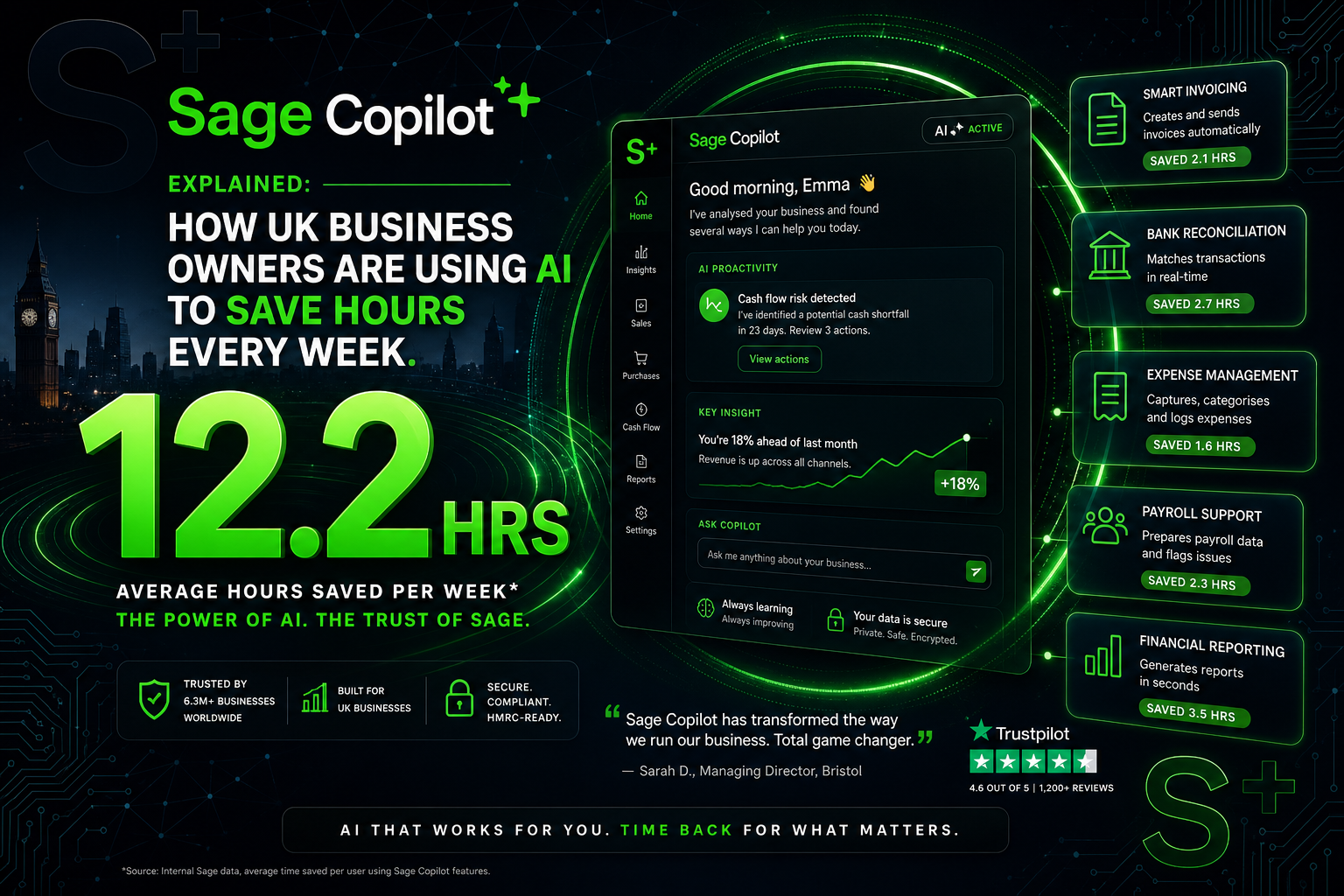
Most accounting software companies talk about AI in terms of what the technology could theoretically do. Sage has taken a different approach: it commissioned an independent study with 570 UK small business owners and accountants, showed them the specific Copilot capabilities, and asked them to estimate how much time each feature would save them per week. The results are specific, verified, and considerably larger than most businesses would expect. Admin automation alone saves an average of 6.1 hours per week. Invoice chasing and invoicing workflows each save 2.1 hours per week. Reporting saves 1.9 hours per week. Across the full capability set, UK small businesses using Sage Copilot are recovering the equivalent of more than a full working day every week from tasks that previously required human time and attention.
This article explains exactly what Sage Copilot is, what each feature does in practice, what the verified numbers show, which Sage plans include it and at what cost, and how to access the current three months free offer that makes trying it before committing to a subscription straightforward. If you have been watching the AI-in-accounting space and wondering whether it amounts to anything real for a UK small business, this is the answer based on what Sage Copilot actually does rather than what it claims to.
What Sage Copilot Is — and What It Is Not
Sage Copilot is an AI-powered productivity assistant built directly into Sage Accounting. It is not a chatbot bolted onto existing software, not a third-party integration that shares data with an external AI service, and not a separate app that connects to your accounts via an API. It runs inside the same environment as your accounting data, which means it has live access to your transaction history, outstanding invoices, bank balances, supplier records, VAT position, and cash flow projections — all simultaneously, in real time.
That native integration is what separates Copilot from generic AI tools applied to accounting problems. An AI that has access to all of your financial data from within the accounting system can make decisions and take actions that are grounded in accurate, current information. It does not work from a summary or a snapshot. It works from the full ledger. When Copilot identifies an overdue invoice and drafts a chasing email, it knows the invoice amount, the customer’s payment history, how many days overdue it is, whether previous reminders have been sent, and what tone your previous communications with that customer used. A generic AI tool has none of that context. The quality of what it produces reflects the difference.
Built on 40 years of UK business data
Sage’s AI is not trained on generic internet data. It is trained on financial patterns from over 40 years of UK small business accounting data across millions of businesses. That means Copilot’s categorisation suggestions, anomaly detection, and cash flow projections are calibrated against what UK businesses of similar types and sizes actually look like — not against a global dataset that includes accounting practices from jurisdictions with completely different tax systems.
The Verified Numbers: What the Study Found
Sage’s study was conducted with 570 participants: 532 small business owners and 38 accountants, all in the UK, with between 0 and 49 employees. Each participant was shown a demonstration of each Copilot capability along with a description of how it works. They were then asked to estimate how much time that capability would save them per week. The estimates were aggregated and the averages calculated per capability and per month.
6.1 hrs saved per week on admin automation — 27.3 hrs/month, equivalent to 3.4 working days
2.1 hrs saved per week on invoicing workflows — 9 hrs/month, 1.14 working days
2.1 hrs saved per week on chasing late payments — 9 hrs/month, 1.14 working days
1.9 hrs saved per week on reporting — 8.2 hrs/month, 1.03 working days
The admin automation figure of 6.1 hours per week is the number that warrants closest examination, because it is considerably larger than most business owners would intuitively estimate before seeing the capability demonstrated. It reflects the cumulative effect of automating accounts payable — creating and assigning purchase orders, uploading invoices from suppliers, and processing payments — across a full week of business activity. For a company processing 20 or more supplier invoices per month, the reduction from manual invoice processing to automated purchase order and payment workflows represents a material operational change, not a marginal time saving.
The 7-days-faster payment figure comes from a separate measurement: a live test with 21 Sage Copilot customers who used the automated invoice chasing feature. Payments were received an average of 7 calendar days faster compared to the same customers’ previous manual chasing behaviour. For a business with £100,000 of annual invoiced revenue, 7 days faster payment across the full invoice book represents approximately £1,900 less in average debtor days exposure — a direct improvement in working capital that costs nothing to achieve beyond the Copilot subscription.
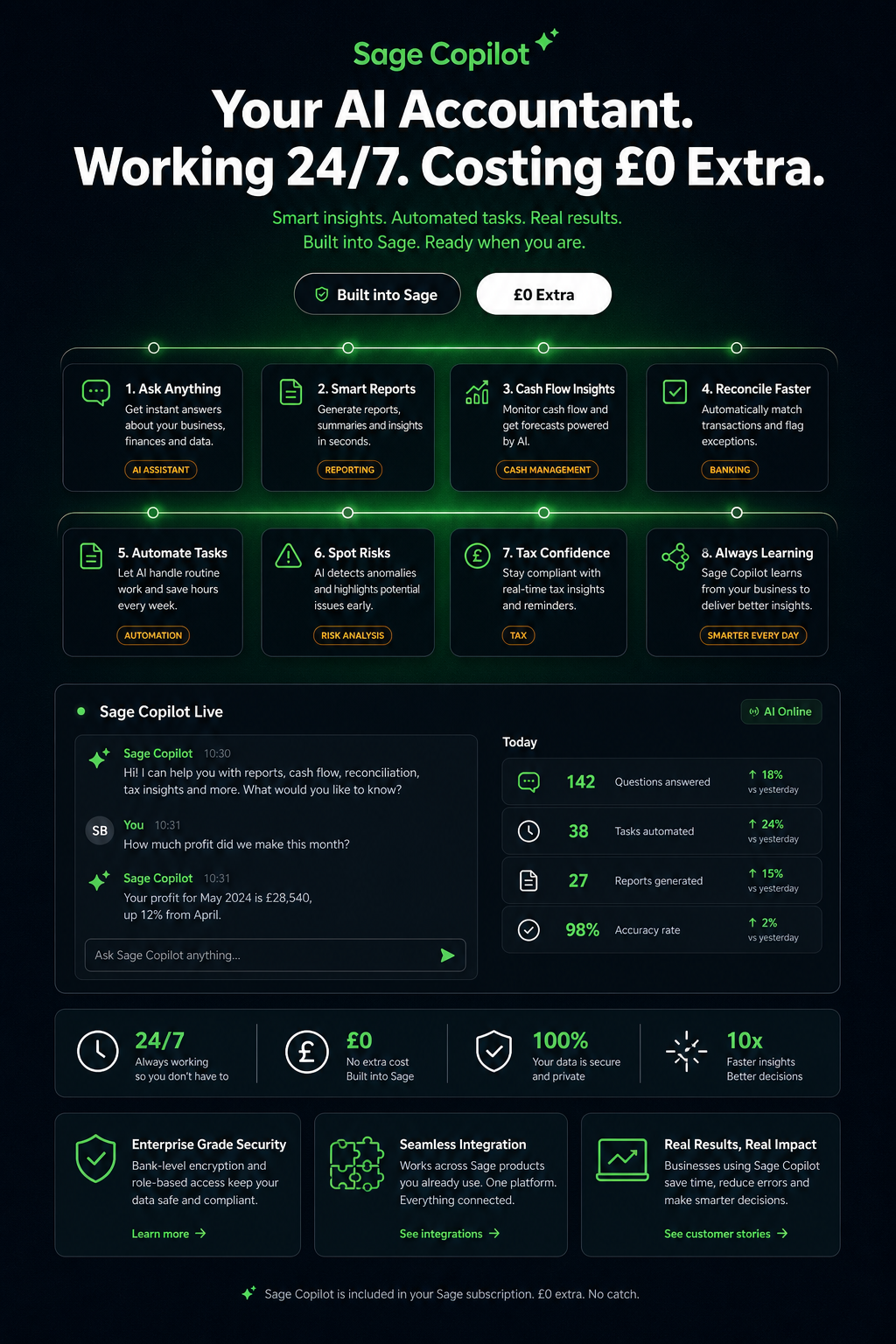
The Five Core Copilot Capabilities Explained
Sage Copilot currently operates across five core capability areas within Sage Accounting. Each addresses a specific category of manual work that previously required the business owner or a member of staff to spend active time and attention. Understanding what each capability actually does — the specific task it automates and the specific outcome it produces — is more useful than a list of feature names.
1. Automated Invoice Chasing
Copilot monitors every open invoice in the system continuously. When an invoice becomes overdue, Copilot identifies it, reviews the customer’s payment history and previous communication record, and drafts a chase email using the tone and language of previous emails sent to that customer. It does not send the email without review — it presents the draft for the business owner’s approval before sending. Multiple overdue invoices across multiple customers can be reviewed and sent in a single session rather than one by one. The rule that triggers the chase — the number of days overdue, the minimum invoice amount, the frequency of reminders — is set by the business owner in Settings and then runs automatically from that point forward.
The setup is a five-step process within Sage Accounting: enable Copilot from the dashboard, go to Settings > Automatic Payment Reminders, set the minimum invoice amount and the days before or after the due date that trigger the reminder, customise the email template (or use Copilot’s draft-with-AI function to generate one), and turn on automatic sending. Reminders then send automatically at 6am UTC each day for any invoice meeting the parameters. Individual customers can be excluded from automatic reminders where a more sensitive relationship requires a manual approach.
2. Invoicing Workflow Assistance
Beyond chasing, Copilot assists across the full invoicing workflow. It speeds up the creation of invoices, quotes, and credit notes by pre-filling from previous transactions and suggesting the correct line items, VAT rates, and payment terms for each customer based on their history. It drafts the accompanying email when sending an invoice, using the appropriate tone for the customer relationship. For recurring invoices, it can set up and manage the schedule without manual intervention each period. The 2.1 hours per week saving estimated by study participants in this category reflects the cumulative time across all of these micro-tasks: not one large task eliminated, but a dozen small ones that each previously required individual attention.
3. Automated Reporting
Copilot can build, schedule, and send reports without manual intervention once the report parameters are set. A business owner who reviews a specific profit and loss report every Monday morning can set Copilot to generate and send that report automatically at a scheduled time, without logging in to run it manually. Custom reports built around the metrics most relevant to the business — gross margin by product line, outstanding debtor balance by customer age, VAT liability to date in the quarter — can be scheduled on any frequency. The 1.9 hours per week saving in this category comes primarily from eliminating the manual report generation and distribution that most businesses handle reactively rather than systematically.
4. Admin and Accounts Payable Automation
The highest time-saving capability in Sage’s study is admin automation at 6.1 hours per week, and the primary driver is accounts payable workflow: automatically creating and assigning purchase orders, uploading supplier invoices, and processing payments. In a business that places regular orders with regular suppliers, the purchase order and invoice matching process is a predictable administrative cycle that Copilot can largely handle without human involvement after the initial rules are established. Supplier invoices received by email can be captured, matched to purchase orders, and queued for approval rather than manually keyed in and cross-referenced. The human role shifts from data entry and matching to review and approval, which is the part that actually requires judgement.
5. Anomaly Detection and Monitoring
Copilot monitors the accounts continuously for transactions that break established patterns. A payment to a supplier at an unusual amount, a duplicate transaction, a VAT rate applied incorrectly to a transaction type, a bank entry that does not match any outstanding invoice or purchase order — all of these are flagged for review rather than passing silently through the ledger. The monitoring runs in the background without any scheduled process; it is a continuous function of the AI having access to the full transaction history and comparing each new transaction against the patterns it has learned. Anomalies are surfaced in the Copilot dashboard with an explanation of why the transaction was flagged and what action options are available.
Copilot for UK Compliance: The MTD and VAT Angle
Sage Copilot has a specific role in MTD compliance that goes beyond general accounting automation. For VAT-registered businesses, Copilot monitors the current VAT position throughout the quarter rather than requiring the business owner to calculate it manually before each return. The running VAT liability is visible in real time, based on the transactions already in the system, categorised at the correct VAT rate by Copilot’s automatic categorisation engine. By the time the quarterly VAT deadline approaches, the return is effectively already prepared — the figures are in the system, correctly coded, and ready for review and submission through Sage’s direct HMRC API connection.
For businesses in scope for MTD for Income Tax from April 2026, the same principle applies to quarterly updates. Copilot tracks the income and expense position for the current quarter continuously, flags any uncategorised transactions that would affect the quarterly update figures, and presents the update data for review before the submission deadline. The 7 August 2026 deadline for the first Q1 quarterly update arrives at the end of a quarter that is already in progress — meaning businesses that started using Copilot at or before 6 April 2026 have had their Q1 records maintained automatically, while businesses that have not yet set up compliant software are facing the deadline with a quarter of uncategorised transactions to work through.
Which Plans Include Copilot and What Does It Cost
Sage Accounting Plan | Monthly Price (excl. VAT) | Copilot Users Included | Additional Copilot Users | 3 Months Free? |
|---|---|---|---|---|
Accounting Start | £18/mo | 1 user included | Not available on Start plan — maximum 1 user | ✅ 3 months free, then £18/mo |
Accounting Standard | £39/mo | 1 user included | Up to 3 additional users at £20/user/mo each | ✅ 3 months free, then £39/mo |
Accounting Plus | £59/mo | 1 user included | Unlimited additional users at £20/user/mo each | ✅ 3 months free, then £59/mo |
Sage Sole Trader (Paid) | £7/mo | Copilot features included | N/A — single-user product | ✅ 3 months free, then £7/mo |
The three months free offer is currently available to new UK customers across all Sage Accounting plans and the Sage Sole Trader paid tier. Payment details are required at signup but no charge is taken until the free period ends. The subscription can be cancelled at any time before the end of the free period with no charge. For a business evaluating whether Copilot justifies the subscription cost, three months is a meaningful trial period — long enough to see the invoice chasing automation working over two or three billing cycles with customers, and long enough for the anomaly detection to have established baseline patterns and begun surfacing genuine exceptions.
At £18 per month on Accounting Start, a sole trader or small limited company gets one Copilot user with the full automated invoice chasing, anomaly detection, cash flow monitoring, and VAT position tracking capabilities. The Copilot subscription is included in the plan price — there is no separate Copilot licence fee on top of the Accounting subscription. Additional Copilot users on Standard and Plus plans are £20 per user per month, addable within the product once the base plan is active.
The Time-to-Money Calculation
The study figures from Sage’s 570-business research allow a straightforward calculation of Copilot’s financial value for a UK small business owner. The calculation varies by the business owner’s effective hourly rate — the value of their time, either as billable hours or as the equivalent of delegating tasks to a member of staff.
Capability | Weekly Time Saved | Monthly Hours | Value at £30/hr | Value at £50/hr | Value at £75/hr |
|---|---|---|---|---|---|
Admin automation (AP, PO, payments) | 6.1 hrs | 27.3 hrs | £819/mo | £1,365/mo | £2,048/mo |
Invoice chasing | 2.1 hrs | 9.0 hrs | £270/mo | £450/mo | £675/mo |
Invoicing workflows | 2.1 hrs | 9.0 hrs | £270/mo | £450/mo | £675/mo |
Reporting | 1.9 hrs | 8.2 hrs | £246/mo | £410/mo | £615/mo |
Combined (all capabilities) | 12.2 hrs | 53.5 hrs | £1,605/mo | £2,675/mo | £4,013/mo |
Sage Accounting Standard subscription | — | £39/mo (excl. VAT) — Copilot included | |||
Even at the most conservative end of these estimates — using only the invoice chasing capability, at a £30 per hour equivalent rate — Copilot saves £270 per month against a subscription cost of £18 to £39 per month. The return on the subscription is positive at any realistic hourly rate from the first month of use. The business owner who values their time at £50 per hour and realises the full admin automation saving is recovering over £1,300 per month in equivalent value from a £39 per month subscription. The ratio of value to cost is not close.
What Copilot Does Not Do: The Honest Limits
An honest explanation of Sage Copilot includes what it does not do, because the gap between marketing claims and functional reality is where business owners get caught out and trust erodes. Copilot is a productivity assistant, not an autonomous accounting department. It handles specific, well-defined tasks within the Sage Accounting environment. It does not replace an accountant, does not give tax advice, does not make financial decisions, and does not operate across data that is not in Sage.
It does not replace an accountant for year-end accounts and Corporation Tax returns. Copilot maintains records and prepares data, but the statutory accounts and CT600 for a limited company require an accountant or a dedicated tax software product. Copilot makes the accountant’s work easier and faster by providing clean, well-categorised records — it does not do the accountant’s work.
It does not give tax planning advice. Copilot can tell you what your current tax liability estimate is based on recorded transactions. It cannot advise on whether to take a dividend or a salary, how to structure a purchase to maximise capital allowances, or whether your IR35 position is compliant. Those are professional tax advice questions for an accountant or tax adviser.
It does not work with data outside Sage. If your records are in a spreadsheet, another accounting platform, or a separate CRM, Copilot cannot access or analyse them. Its intelligence is built on the transactions in your Sage environment. The more complete and current those records are, the more useful Copilot’s outputs are. Partial or delayed record-keeping reduces the accuracy of every Copilot output proportionally.
It does not guarantee compliance. Copilot assists with record-keeping and submission workflows, but compliance is ultimately the business owner’s responsibility. If transactions are miscategorised and Copilot does not flag the anomaly, the VAT or Income Tax return that includes those transactions may still be incorrect. Copilot reduces the probability of errors significantly. It does not eliminate it entirely.
The Start plan limits Copilot to one user. For a business with more than one person managing the accounts, the Standard plan at £39 per month is required to add additional Copilot users at £20 per user per month. A business on Start that adds a bookkeeper cannot give that bookkeeper a Copilot seat without upgrading the plan.
How to Access the Three Months Free Offer
Sage is currently offering three months free on all Sage Accounting plans for new UK customers. The offer is available directly from sage.com/en-gb and through partner organisations including Wenta, which has a dedicated Sage partnership page for accessing the offer. The free period covers the full plan including Copilot at the tier selected — there is no reduced-feature trial version.
What the 3 months free covers
Full Sage Accounting functionality at the tier selected (Start, Standard, or Plus)
Sage Copilot included for 1 user on all plans from day one of the trial
Automated bank feeds connected from account setup
MTD for VAT and MTD for Income Tax submission capability live immediately
Receipt capture included in Standard and Plus plans (30 and 100 per month respectively)
Full Sage support access during the free period
No charge taken until the free period ends
Cancel at any time before the end of the free period — no fee applies
What to set up in the first week
Connect your business bank account via open banking from Settings > Bank Accounts — this is the single most valuable first step; transactions import from this point forward automatically
Import or enter the previous 3 months of transactions as opening context so Copilot can learn your spending and income patterns before making categorisation suggestions
Set up Automatic Payment Reminders in Settings with your preferred trigger dates and email tone
Enable Anomaly Detection alerts so unusual transactions surface immediately rather than at period end
Set your VAT scheme if registered, so every transaction is coded correctly from the first one entered
Connect Sage Payroll if you have employees, so payroll journals flow into the accounts automatically after each pay run
The Bottom Line
Sage Copilot saves UK small business owners an average of 12.2 hours per week across invoicing, chasing, admin, and reporting tasks — according to a verified study of 570 UK businesses. Payments are received 7 days faster with automated invoice chasing, based on live data from 21 real customers. These are not projected benefits or theoretical efficiencies. They are measured outcomes from UK businesses using the product in their actual working environment.
Copilot is included in every Sage Accounting plan — from £7 per month on Sage Sole Trader to £18 on Accounting Start to £39 on Standard — with no separate licence fee. The current three months free offer means new customers can use the full product including Copilot for an entire quarter before any charge is applied. For a business spending 12 hours per week on tasks that Copilot can handle, the financial case for a three-month free trial is entirely one-sided: the potential upside is 12 hours per week of recovered time and 7-days-faster cash collection, and the downside of trying it is zero.
The practical question is not whether Sage Copilot saves time for UK small businesses. The study data answers that. The practical question is how much of your current admin burden falls within the categories Copilot automates, and whether three months of using it changes the way you think about what accounting software should cost you — not in subscription fees, but in the hours you no longer have to spend on tasks a well-trained AI can handle better and faster than a tired business owner working through an inbox at 9pm.