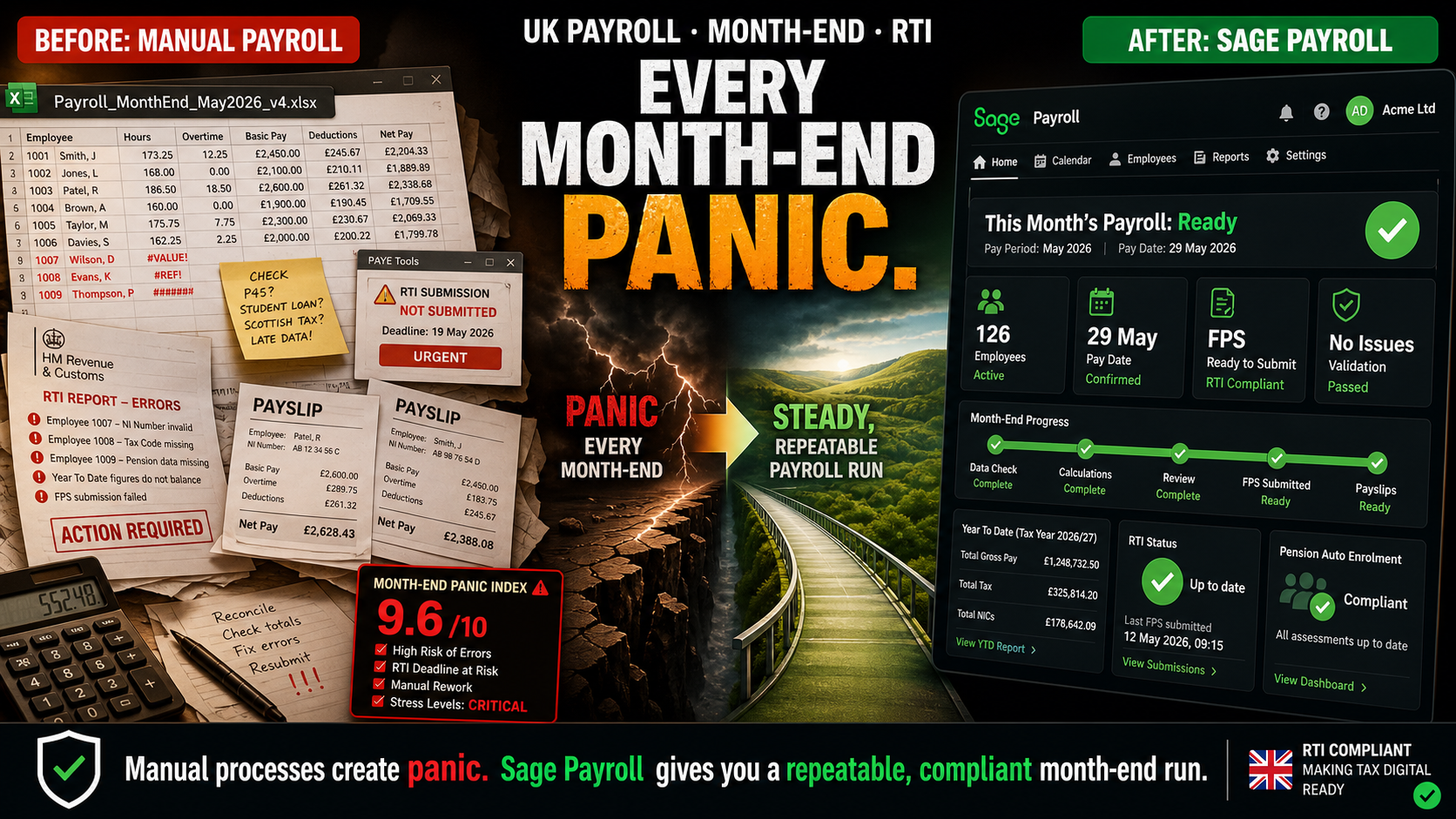
There is a very particular kind of tension that shows up in UK offices at the end of the month. No one talks about it directly, but you can feel it. People glance at their phones a little more often. Managers walk past payroll asking, “Are we all good for Friday?” Someone inevitably jokes, “As long as we actually get paid this time.” The joke lands because everyone remembers the one time something went wrong. For a business running payroll manually — on spreadsheets, with hand-entered hours, and last-minute checks — that tension is not an accident. It is baked into the process.
Payroll professionals have their own language for this. The Chartered Institute of Payroll Professionals talks about “payroll nightmares” where a single error in tax or National Insurance cascades into hours of rework, calls to HMRC, and emergency corrections. HR blogs describe manual timesheets creating stress for over a third of UK employees because they do not trust the accuracy of their payslips. UK payroll consultants describe month-end as “the point where the entire month’s errors arrive at once and have to be fixed in hours instead of days.” If your month-end feels like a panic, it is not because payroll is inherently chaotic. It is because you are running a process that was never designed to handle UK payroll complexity in real time.
What Manual Payroll Actually Looks Like in a UK Business
From the outside, “we run payroll manually” sounds simple. From the inside, it looks like a chain of brittle steps, each one with its own opportunities for delay and error. Breaking it down is uncomfortable because it makes clear how much of the stress is built into the process itself.
Stage | What Happens in a Manual UK Payroll | Where It Goes Wrong |
|---|---|---|
Collecting hours | Managers email timesheets or send Excel files; some staff forget; others submit late; someone in payroll chases by email or WhatsApp. | Missing hours, duplicate submissions, and last-minute changes compress the time window for all the calculations that follow. [web:471][web:477] |
Calculating gross pay | Overtime, bonuses, shift allowances, and holiday pay are calculated manually in a spreadsheet. | One wrong formula or copied cell can miscalculate multiple employees’ pay in a single run. [web:476] |
Applying tax and NIC | Tax codes are updated manually from HMRC notices; NIC thresholds and rates are copied from HMRC guidance or an outdated sheet. | Tax/NIC is where CIPP sees some of the costliest payroll mistakes. Incorrect codes or thresholds lead directly to underpayments or overpayments that must be fixed under time pressure. [web:476] |
Auto enrolment and pensions | Eligibility is assessed manually by checking age and earnings; contributions are calculated and typed into pension provider portals. | Missed enrolments, wrong contribution rates, and late submissions to providers create both regulatory risk and employee anger. [web:91] |
RTI submissions | FPS and EPS figures are keyed into HMRC’s Basic PAYE Tools or typed into a free portal. | RTI rules require a Full Payment Submission “on or before” you pay employees; manual entry under time pressure is where filing errors and missed deadlines arise. [web:481] |
Payslips and queries | Payslips are generated from a spreadsheet template or manually in Word/PDF; queries are answered via email. | Every error triggers rework, reissued payslips, and phone calls; each correction happens in the same small window every month. |
Posting to accounts | Payroll totals are typed into the accounting system as journals. | Payroll and accounts rarely agree first time; reconciliation issues show up weeks later when the month is supposedly “closed.” |
None of these steps are optional in UK payroll. HMRC still expects PAYE and NIC calculated correctly, RTI submitted on time, and pensions handled under auto-enrolment rules. The question is whether those steps are handled by humans under time pressure or by software designed for the job. For businesses still on the manual side of that line, the month-end panic is not a surprise. It is the system doing exactly what it was always going to do.
Why Month-End Feels Like a Panic, Not a Process
Payroll stress is not evenly distributed across the month. As one UK payroll specialist put it in a LinkedIn post: “Payroll is not stressful every day. It is stressful the moment you realise next month depends on how this week finishes.” When you run payroll manually, three things combine to make that moment feel like a cliff edge instead of a routine step.
Everything happens in a batch. Timesheets, bonuses, tax code updates, new starters, leavers, pension changes — all hit at once. Tugela People describe payroll as a “constant puzzle” because changes that trickled in all month become one complicated set of manual adjustments in the last few days. [web:475]
Errors only surface when there is no time left to fix them. CIPP’s “payroll nightmares” include examples where NI miscalculations went unnoticed for months until a reconciliation at year-end, triggering emergency corrections. [web:476] In a manual process, most mistakes are invisible until the payslips are about to go out — or until an employee calls to say something looks wrong.
Legal obligations don’t move when your spreadsheets are late. RTI rules still require FPS on or before payday, and EPS by the 19th of the following tax month.Auto-enrolment still requires correct assessment and timely pension contributions. [web:91] HMRC and The Pensions Regulator are not interested in how busy your month was. They are interested in whether the submission was correct and on time.
The “are there any errors this time?” moment
Payroll consultants describe a familiar question in manually-run payrolls: “Are there any errors this time?” [web:470] If that question is part of your culture every month, your process is telling you it cannot be trusted. Software does not remove every error, but it removes the categories of error that come from typing under pressure.
The Real Risks of Manual UK Payroll
Payroll is about more than getting employees paid. In the UK, it sits at the intersection of employment law, tax law, and pensions regulation. Manual processes are fragile because they rely on individuals remembering every rule, every change, every deadline.
Risk Area | What Manual Payroll Looks Like | What the Experts See |
|---|---|---|
Tax & National Insurance | Rates and thresholds updated once a year in a spreadsheet; tax codes changed manually when letters arrive. | CIPP lists tax and NI miscalculations as a top “payroll nightmare,” citing time-consuming corrections and potential penalties. [web:476] |
Auto-enrolment | Someone checks age and earnings manually to decide who to enrol; contributions typed into pension portals. | Sage notes that manually managing this creates a high risk of missing eligible workers and using wrong contribution levels, which can trigger fines and backdated contributions. [web:91] |
RTI submissions | FPS and EPS numbers typed into HMRC tools; if something changes, a correction file has to be produced manually. | Sage’s RTI guidance emphasises that RTI is designed to be used with payroll software generating and submitting FPS/EPS automatically. Manual entry increases the chance of missed or incorrect submissions. [web:481][web:478] |
National Minimum Wage compliance | Hourly rates checked in a static document; overtime and unpaid breaks may not be captured correctly. | HR and payroll blogs warn that manual timesheets and calculations are a common source of NMW underpayment issues and HMRC investigations. [web:471][web:477] |
Employee trust | Staff check payslips carefully every month; each error reduces confidence, even if corrected later. | UK payroll advisers note that repeated payroll errors are one of the fastest ways to damage morale and push people to look elsewhere. [web:475][web:477] |
These are not theoretical risks. They show up in very practical ways: employees chasing underpayments, HMRC letters about RTI discrepancies, pension providers querying missing contributions, and directors spending Fridays dealing with problems that would not exist if the calculation and submission work were handled systematically by software.
What a Calm Month-End Payroll Looks Like
The opposite of the month-end panic is not a world where payroll is trivial. UK payroll will always have complexity because the rules themselves are complex. The opposite is a world where the complex parts are automated and kept up to date by a system designed for UK legislation, and the human role is review and exception handling rather than manual calculation.
Timesheets feed in digitally. Hours are approved online and flow straight into the payroll run — no retyping. UK blogs on digital timesheets consistently report lower stress and fewer disputes when hours are logged and approved in one place. [web:471]
Rates and thresholds are always current. When HMRC changes NI bands, student loan plan types, or minimum wage rates, the software updates itself. Sage 50 Payroll’s v32 update, for example, includes all 2026/27 legislation changes — including new statutory rates and updated rules — without the employer needing to adjust a spreadsheet. [web:480]
RTI runs with a click. With Sage’s HMRC-recognised RTI payroll software, FPS and EPS submissions are generated from the live payroll data and sent online to HMRC with a single click, rather than manual keying. [web:478]
Auto-enrolment is continuous, not manual. Software assesses the workforce each run against age and earnings criteria, enrols and de-enrols automatically, calculates contributions, and produces communications, as Sage’s auto-enrolment tools are designed to do. [web:91]
Payroll and accounts stay in sync. Journals post automatically into the accounting system; there is no separate step where someone tries to recreate payroll in the accounts by hand.
What changes emotionally
Month-end stops feeling like a “test” that payroll might fail and becomes a recurring task that the system has already done 90% of before you log in. The question shifts from “Did we get it right?” to “Does everything look as expected?”
Where Sage Fits: Turning Panic into a Checklist
Sage’s payroll products are built specifically for this: taking UK payroll complexity and turning it into a repeatable, software-driven process that stays in step with HMRC rules. Sage offers Sage Payroll (cloud-based, part of Sage Business Cloud) and Sage 50 Payroll (desktop with rich features), both HMRC-recognised and built around RTI, auto-enrolment, and UK legislation. [web:103][web:478][web:91]
Need | What Manual Payroll Gives You | What Sage Payroll Gives You |
|---|---|---|
RTI compliance | Manually filling in FPS/EPS in HMRC tools, hoping numbers match your spreadsheet. | HMRC-recognised RTI submissions generated and sent from within the software with a single click, using the actual payroll data. [web:478][web:481] |
Legislation updates | Updating your own sheets when you remember, from HMRC PDFs, and hoping nothing was missed. | Automatic updates each tax year (e.g. NI limits, statutory rates, student loan plan types, minimum wage), delivered via software updates such as Sage 50 Payroll v32 for 2026/27. [web:480] |
Auto-enrolment | Manual eligibility checks; manual pension calculations; manual data uploads to pension providers. | Built-in auto-enrolment assessment, contribution calculation, and communication tools that run every payroll. [web:91] |
Employee numbers | Costs and effort scale badly as you add people; each new hire adds more manual work. | Tiered pricing that scales with headcount, starting from around £8–£10/month for 1–5 employees in Sage Payroll, with affordable bands as you grow. [web:373][web:103] |
Integration with accounts | Typing payroll totals as journals into your accounting system every month. | Integration with Sage Accounting and Sage Intacct so payroll journals post automatically to your ledgers. |
Time to run payroll | Hours of manual prep, calculation, checking and submissions every month-end. | Runs in a fraction of the time once set up: calculations, RTI, and pension steps automated, leaving a review-and-approve workflow. |
Sage Business Cloud Payroll pricing in 2026 starts at around £8–£10 per month for 1–5 employees and scales in clear bands up to £106 per month for 76–100 employees, with Sage’s own site currently listing cloud payroll plans from **£10 per month with 2 months free** depending on tier. [web:373][web:103] That pricing structure deliberately tracks headcount, so a small business does not pay enterprise prices, and a growing business can add employees without jumping to a completely different product.
What Month-End Looks Like After Moving to Sage
Once Sage is set up correctly, month-end stops being a mad scramble and becomes a series of checks. The steps do not disappear, but who does the work changes: the software does the calculations and the submissions; the payroll person checks and approves.
Timesheets are approved in your HR/time system and imported into Sage rather than typed in manually.
Gross pay is calculated automatically based on pay elements set up per employee: salaries, hourly rates, overtime rules, and holiday pay are all driven by configured rules, not ad hoc formulas.
Tax and NIC calculations use current HMRC tables baked into the software update, reducing the chance of using outdated thresholds. [web:480]
RTI submissions (FPS/EPS) are produced and sent from Sage as part of the run, with confirmation of success stored in the system. [web:478][web:481]
Pension contributions are calculated and exported in the correct format for your provider automatically, in line with UK auto-enrolment rules. [web:91]
Journals for the pay run post directly into your accounts, keeping your P&L and balance sheet in sync without a separate manual step.
From panic to “done by Thursday”
UK payroll specialists who work with automated systems consistently report that payroll runs move from “late-night Friday panic” to “done, checked and submitted by Thursday afternoon” once RTI, auto-enrolment and calculations are handled in software instead of spreadsheets. [web:475][web:477]
The Bottom Line
Every month-end feels like a panic when you are running payroll manually in the UK because the process expects humans to do what software is better at: remembering every rule, copying every figure correctly, meeting every deadline, and never making a mistake under time pressure. The increasing complexity of UK payroll — RTI, auto-enrolment, ever-changing thresholds, student loan types, national minimum wage changes — means that each year adds more ways for a manual process to fail. [web:480][web:481]
Sage’s payroll products exist to move that burden from people to systems. With Sage Payroll starting from around £8–£10 per month for micro-employers and Sage’s own online plans from £10 per month with two months free, the cost of automating UK payroll is now a fraction of the cost of a single serious payroll mistake or the hours spent every month-end trying not to make one. [web:373][web:103] If month-end in your business still feels like a test you might fail, it is not because payroll has to be that way. It is because you have not yet given the work to software that was built for it.